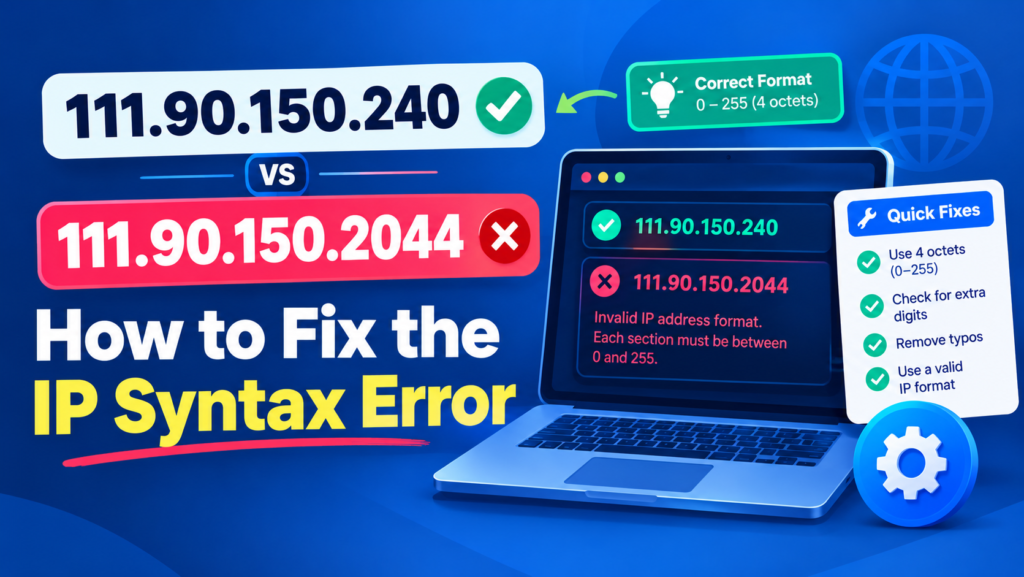
If you searched for 111.90.150.2044, you may be trying to open a website, access a server, or troubleshoot a browser connection error. The problem is that this string does not follow the standard IPv4 address format.
The final number, 2044, exceeds the permitted IPv4 octet range of 0 to 255. Meanwhile, 111.90.150.240 follows the standard numerical format, but that does not prove it is the destination you intended to reach.
This guide explains the difference between these two strings, why the error occurs, and how to identify the correct address without guessing.
Is 111.90.150.2044 a Valid IP Address?
No. 111.90.150.2044 is not a valid IPv4 address in standard dotted-decimal notation.
IPv4 addresses contain four octets separated by periods. Each octet represents eight bits and must have a value between 0 and 255. This format is documented in RFC 3986.
Here is a comparison of the two addresses:
| Feature | 111.90.150.240 | 111.90.150.2044 |
|---|---|---|
| Number of components | Four | Four |
| First octet | 111 | 111 |
| Second octet | 90 | 90 |
| Third octet | 150 | 150 |
| Fourth octet | 240 | 2044 |
| Standard IPv4 syntax | Valid | Invalid |
| Can the intended destination be confirmed? | No, not from syntax alone | No |
The fourth octet is the only component that differs. The value 240 is within the permitted range, whereas 2044 exceeds the maximum by 1,789.
However, a valid format does not guarantee that a server exists at that address or that a connection will succeed.
Why Does 2044 Cause an IPv4 Syntax Error?
IPv4 uses a 32-bit addressing system divided into four eight-bit sections. Each section can represent 256 possible values, from zero through 255.
The address 111.90.150.2044 fails because its final component cannot fit within the standard eight-bit octet range.
Consider these examples:
111.90.150.200— valid IPv4 syntax.111.90.150.240— valid IPv4 syntax.111.90.150.255— valid numerical format.111.90.150.256— invalid IPv4 syntax.111.90.150.2044— invalid IPv4 syntax.
A common mistake is to replace the oversized number with 240 or 255 automatically. That creates a different address, and the original string provides no evidence that either replacement is correct.
If you copied the address from a document, website, or server configuration, check the original source before changing it.
Why Does Your Browser Show a Connection Error?
When you enter an address into a browser, the browser must interpret the input and determine how to contact the destination.
A malformed IP-like string may be rejected, interpreted differently, or handled as a search query, depending on the browser and environment.
You might encounter messages such as:
ERR_NAME_NOT_RESOLVEDDNS_PROBE_FINISHED_NXDOMAIN- A server-not-found message
- An invalid-address error
These messages do not all mean the same thing. For example, DNS_PROBE_FINISHED_NXDOMAIN indicates that a DNS lookup returned a nonexistent-domain result. It does not, by itself, prove why the original input failed.
See Cloudflare’s DNS troubleshooting guide for more information about this DNS error.
The first troubleshooting step should be to verify the address itself. Clearing caches or changing network settings will not correct an octet that exceeds the IPv4 limit.
How to Fix the 111.90.150.2044 Error
Follow these steps to identify the intended destination and resolve the problem.
Step 1: Check the Original Address
Return to the source where you found 111.90.150.2044. It might be a copied link, configuration file, server log, or instruction document.
Check whether the last number contains an accidental extra digit. Do not assume that the intended value is 240 simply because 111.90.150.240 is a valid address.
Step 2: Enter the Verified Address
Once you confirm the intended address, enter it carefully in the browser’s address bar.
Check for extra digits, spaces, missing periods, and accidental characters. Ensure that all four octets fall between zero and 255.
If you do not know the correct address, obtain it from the website owner, administrator, or original documentation rather than guessing.
Step 3: Check the Protocol
If the verified address is correct but the website still does not load, confirm whether the service requires HTTP or HTTPS.
For example, the following are different connection attempts:
http://YOUR-VERIFIED-IP
https://YOUR-VERIFIED-IP
Replace the placeholder with the verified address. Use the protocol specified by the service administrator.
An HTTPS connection may require a valid certificate matching the destination. Do not ignore certificate warnings unless the administrator has confirmed the service and provided safe instructions.
Step 4: Check the Port Number
Some web applications use nonstandard ports instead of the default HTTP or HTTPS ports.
A documented service might use a URL such as:
http://YOUR-VERIFIED-IP:8080The number after the colon identifies the port. Use only the port provided by the service documentation or administrator.
Adding an arbitrary port will not fix an invalid IP address.
Step 5: Investigate Other Connection Errors
If the address has valid syntax but the connection still fails, check the following:
- Whether the destination server is online.
- Whether the requested service is running.
- Whether the correct port is open.
- Whether a firewall or access-control rule blocks the connection.
- Whether the service requires a hostname rather than a numerical IP address.
Some websites rely on hostnames to select the correct website or TLS certificate. Consequently, opening an IP address directly may not display the expected page even when the address itself is valid.
Is 111.90.150.240 a Safe and Working IP Address?
The address 111.90.150.240 follows standard IPv4 numerical syntax. However, syntax alone does not establish its current ownership, purpose, safety, or availability.
Before connecting to an unfamiliar numerical address, verify it against trusted documentation or the service administrator’s instructions.
Do not enter passwords, payment details, or other sensitive information into an unfamiliar gateway simply because its address looks valid.
If a valid address returns a connection error, investigate the destination and service configuration instead of repeatedly changing the IP address.
Common IP Address Typing Mistakes
Several errors can produce a malformed IPv4 address:
Extra digits: An intended final octet may accidentally become a number such as 2044.
Missing periods: Removing a separator can combine two components into one oversized number.
Incorrect digits: A mistyped number may produce a different address or an invalid octet.
Copied formatting: Spaces or unexpected characters may be introduced when copying an address from formatted text.
Incorrect documentation: An old or inaccurate link may contain an address that no longer matches the intended service.
The solution is to compare the value against the original source and confirm the intended address before attempting a connection.
Frequently Asked Questions
Why is 111.90.150.2044 invalid?
Its final octet is 2044, which exceeds the IPv4 maximum of 255. Standard IPv4 notation requires four octets, each within the permitted range.
Is 111.90.150.240 the correct replacement?
It is syntactically valid, but that alone does not prove it is the intended destination. Verify the correct address using the original link or trusted documentation.
Will clearing the DNS cache fix this error?
Not if the problem is the invalid octet itself. First correct the address using verified information. DNS troubleshooting may be appropriate if a separate name-resolution problem remains.
Why does a valid IP address still fail to open?
The server may be offline, the service may not be listening, a firewall may block the connection, or the application may require a particular port, hostname, or protocol.
Can an IPv4 octet exceed 255?
No. In standard dotted-decimal IPv4 notation, each octet must range from 0 through 255.
Final Verdict
111.90.150.2044 is invalid because its fourth octet exceeds the standard IPv4 limit. Although 111.90.150.240 has valid syntax, you should not assume it is the correct replacement without verifying the intended destination.
Check the original address, correct any confirmed typing errors, and investigate protocol, port, or server problems only after validating the address. This approach helps resolve the actual issue without introducing another mistake.
Related article: 111.90.150.284 IP Address